Extension vs App vs Spreadsheet: How Points Trackers Actually Work
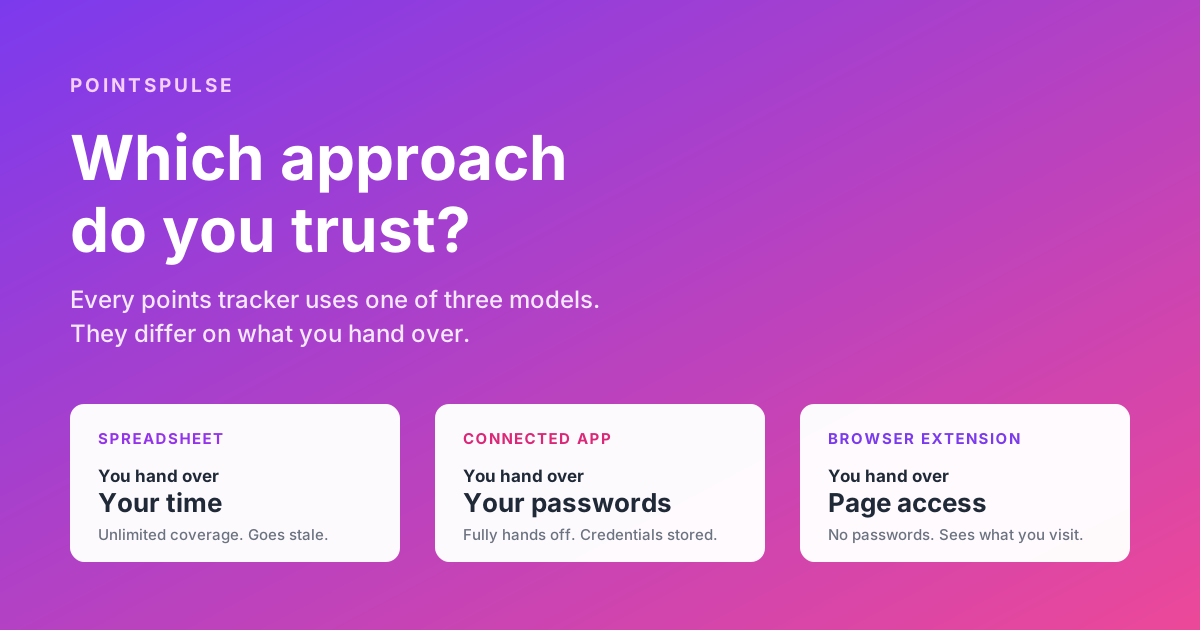
Every points tracker ever built uses one of three approaches, and they do not really differ on features. They differ on what you hand over to get your balances. One asks for your time. One asks for your passwords. One asks for access to what is on your screen. Almost every practical difference between tracking tools follows from that single choice.
This is not a review. We build one of these tools, so we are not a neutral party and we are not going to pretend otherwise. What follows is an explanation of how the three approaches work underneath, what each one genuinely costs you, and where each one falls down, including ours. If you want a straight tool by tool comparison instead, we have a separate rundown of the main points and miles trackers.
The three approaches at a glance
| Spreadsheet | Connected app | Browser extension | |
|---|---|---|---|
| What it needs from you | Your time, repeatedly | Your loyalty program credentials | Permission to read specific sites |
| Where the reading happens | Your eyes | The company's servers | Your own browser |
| Updates when | You remember | On a schedule, hands off | You visit a program site |
| Works on mobile | Yes | Yes | Not on Chrome for Android |
| Coverage limit | Anything you can log into | Whatever they have built | Whatever they have built |
| Main failure mode | You stop updating it | A breach exposes credentials | Stale data on accounts you rarely visit |
Read that table again and notice what is not in it. Nothing about interface quality, chart design, or how many programs are supported. Those things matter, but they are downstream. The structural question is the second row: where does the reading happen, and what has to be true for it to work.
The spreadsheet
The spreadsheet is not a joke option. It is what most serious points collectors actually use, and it has two genuine advantages that no tool can match.
First, coverage is unlimited. Every airline, every hotel chain, every supermarket scheme, every obscure regional program with a website that has not been redesigned since 2009. If you can log in and read a number, you can put it in a cell. No tracking tool covers everything, and every tool has a gap that matters to somebody.
Second, nothing leaves your control. There is no third party, no account to create, no terms of service, no company that might get acquired or shut down or change its pricing. Your data sits in a file you own.
Where it fails
It fails at the only thing that actually matters, which is being current.
A spreadsheet is a snapshot of what was true the last time you sat down and updated it. That is fine in month one, when you are enthusiastic. By month eight, the balances are stale, three of the accounts have earned or burned points you have not recorded, and the number you are looking at is fiction. We kept a points spreadsheet for eight years before giving up on it, and the failure was never a lack of discipline in any given month. It was that the effort is recurring and the payoff is invisible until the day it is not.
That day is often an expiration, and the risk is not where most people assume. Delta, United, Southwest, JetBlue, and Alaska have all stopped expiring miles, so the exposure has shifted to hotel programs and a small number of carriers. A stale spreadsheet will not tell you which of your balances is still on a clock. We have a program by program breakdown of the current expiration rules, and the short version is that Marriott, Hilton, Hyatt, IHG, American, and international partner balances are where people actually get burned.
The honest summary of the spreadsheet approach: it is the best option if you have a small number of accounts, you check them regularly anyway, and you enjoy the ritual. It is the worst option if you are the kind of person who signs up for a card, earns a bonus, and then does not think about it for a year. Which describes most people, including most people who keep spreadsheets.
The connected app
This is the approach most tracking services use, and it is the reason they can do things an extension cannot.
How it works underneath
You give the service your loyalty program username and password. The service stores those credentials, and then on some schedule its servers log into the program's website or app on your behalf, read your balance, and record it. From your side it looks like magic: you set it up once and the numbers stay current forever, whether or not you ever visit the program again.
It is worth saying clearly that this is a reasonable engineering decision, not a scandal. Loyalty programs, unlike banks, mostly do not offer any official way for a third party to read your balance. There is no widely adopted equivalent of the bank data APIs that power budgeting apps. If you want automated balance tracking across dozens of programs with no effort from the user, logging in as the user is the only mechanism available. Every service that does this arrived there by the same logic.
What you are actually trusting
You are trusting four separate things, and they are worth separating because tools tend to talk about the first and stay quiet about the rest.
- Encryption at rest. That the stored credential is encrypted properly. Almost everyone does this, and almost everyone says so. It is the easiest claim to make and the least informative.
- Encryption in use. Here is the part that gets skipped. To log into your account, the service has to decrypt your password back into readable text at the moment it uses it. Encryption at rest protects a stolen database. It does not protect a compromised running system.
- Internal access controls. That no employee, contractor, or compromised internal tool can retrieve credentials in bulk. This is a policy and process question, not a cryptography question, and you have essentially no way to verify it from outside.
- Retention. That when you delete your account, the credentials actually go, everywhere, including backups.
The phrase you will see is "bank level encryption," and it is close to meaningless. It describes the algorithm, not the architecture. What matters far more is the answer to a blunter question: does a running system anywhere hold a decrypted copy of my password, even briefly? For any service that logs in on your behalf, the answer has to be yes, because that is how logging in works.
There is also a wrinkle that has nothing to do with security. Most loyalty program terms of service prohibit sharing your account credentials with third parties. Enforcement is rare and we are not aware of anyone losing a balance purely for using a tracker. But if a program ever wanted a reason to claw back an account, the clause is sitting there.
None of this means connected apps are reckless. It means the convenience has a price, the price is a credential sitting in someone else's system, and you should decide whether you are comfortable with it rather than never being asked.
The browser extension
The third approach inverts the problem. Instead of the tool logging in as you, you log in as you, and the tool reads what is already on the screen.
How reading the page works
A browser extension can run a small script on specific websites, defined in advance. When you visit your Chase or Marriott account in the normal way, already logged in, that script looks at the rendered page, finds the element containing your balance, and reads the number out of it. Then it sends that number, and only that number, to be stored against your account.
The extension never sees a password because a password is never entered in front of it. Your login happens exactly as it always did, between you and the program, in your own browser session. The extension arrives afterwards and reads the result. This is the model we chose, and we have written separately about why.
The permissions this requires are declared in the extension's manifest and shown to you at install time. Google documents how extension permissions are declared and warned about, and it is worth understanding, because this is the part where an extension asks you for something real.
You can check any extension's request before installing it, and you should. Ours asks for two capabilities, scripting and storage, plus an explicit list of the loyalty sites it runs on. There is no permission to read your browsing history, no access to your tabs, and no wildcard covering sites outside that list. That is a verifiable claim rather than a promise: the list is in the manifest, and Chrome shows it to you at install.
What it cannot do
Three things, and they are not small.
It only knows what you have looked at. No visit, no page, no reading. If you have an Alaska account you last touched fourteen months ago, an extension has nothing to work from. This is the exact opposite of the connected app's strength, and it is a real limitation rather than a quibble.
It does not run on Chrome for Android. Chrome does not support extensions on mobile at all. Safari on iOS and Firefox on Android do run their own extension ecosystems, but a Chrome extension does not port to either without a separate build. In practice the approach assumes you use a desktop browser for at least some of your logins, and that on a phone you are reading a dashboard rather than updating one.
It breaks when sites change. Reading a balance out of a page means depending on the page's structure. Programs redesign their sites, and when they do the reading stops working until the extension is updated. Connected apps carry the same fragility, since most are also reading pages, they just absorb it server side where you do not see it happen.
What "read only access" actually means
All three approaches get described as read only, and the phrase does different work in each case.
For a spreadsheet it is literal. Nothing has access to anything.
For a connected app, read only describes intent, not capability. A system holding your username and password can do anything you can do in that account, including redeeming points or changing your details. It does not, and it is not built to, but the capability follows from the credential. The restraint is a policy, not a wall.
For an extension, read only is closer to a genuine constraint, but it is not absolute either. An extension with permission to read pages on a site can read whatever is on those pages, which on a bank or airline site includes more than a balance. What limits it is the list of sites in its manifest, which you can inspect, and the fact that it holds no credential to reuse anywhere else.
Here is the version that is actually useful. Ask what happens in the worst case. If a connected app is fully compromised, the attacker has working logins to your loyalty accounts and, if you reuse passwords, potentially to other things. You can check whether your own details have appeared in past breaches at Have I Been Pwned. It is also why the current NIST digital identity guidelines tell services to screen passwords against lists of known compromised credentials rather than relying on complexity rules: reused passwords are the vector that turns one breach into several. If an extension is fully compromised, the attacker has a list of numbers, and can read pages you visit going forward until you remove it. Both are bad. They are not the same size of bad.
The honest limits of each, including ours
A comparison written by a vendor is worth very little unless it says where the vendor loses. So:
- The spreadsheet beats every tool on coverage. If you hold balances in programs no tool supports, and most people who are deep in this hobby do, a spreadsheet is the only thing that sees all of it. Tools are a supplement for those people, not a replacement.
- Connected apps beat extensions on completeness. Hands off background updates across accounts you never visit is a genuinely better experience, and no extension can offer it. If that is what you want, an extension will disappoint you and you should not use one.
- Connected apps usually beat extensions on program count. Building server side scrapers scales differently, and the established services have years of head start. We track seventeen programs. That is not nothing, and it covers the majority of what most people hold, but it is not everything.
- Extensions win on exactly one axis. You never hand over a credential. If that matters to you, it is decisive. If it does not, the rest of this article should push you toward a connected app, and we would rather you used the right tool than ours.
We would also say this, because it comes up: no tracker of any kind protects you from the two things that actually destroy point balances, which are devaluations and your own decisions. A tracker tells you what you hold. Whether you should move those points to an airline partner, and when, is a judgement no dashboard makes for you.
Which one you should use
Use a spreadsheet if
You have fewer than about six accounts, you log into them regularly for other reasons, you hold balances in unusual programs, or you simply do not want a third party involved at any level. Add a calendar reminder to update it quarterly and it will serve you well.
Use a connected app if
You have accounts you genuinely never visit, you want the numbers to be current without any effort at all, you track from your phone, or you hold programs that only server side tools support. Be deliberate about it: use a unique password on every loyalty account so that a breach at the tracker cannot spread, and check the tool's deletion policy before you sign up rather than after.
Use a browser extension if
You log into your main programs from a desktop browser anyway, your balances are concentrated in the large mainstream programs, and you are not willing to put loyalty passwords into a third party system. Accept the trade: the account you never visit will show a stale number, and you will need to visit it occasionally to refresh.
Or use two
This is what a lot of people end up doing and nobody recommends out loud. A tool for the ten programs that matter and update themselves, and a spreadsheet for the long tail of odd balances the tool does not reach. If you have never done an inventory of what you actually hold, the points audit walkthrough is a reasonable place to start, and it will tell you fairly quickly which category you fall into.
The short version
- There are three approaches, not dozens of tools. Everything else is packaging.
- A spreadsheet costs you attention. It is unbeatable on coverage and it fails quietly the moment you stop maintaining it.
- A connected app costs you a credential. It buys you genuinely hands off tracking, and that credential has to be decrypted somewhere for it to work.
- A browser extension costs you page access and completeness. It never sees a password, and it only knows what you have looked at.
- "Read only" and "bank level encryption" are not answers. The useful question is what an attacker would hold if the tool were fully compromised.
- Pick based on which cost you would rather pay, not on which dashboard looks nicer.
Whichever you choose, the failure mode to avoid is the one where you hold six balances across four programs and could not say within twenty thousand points what any of them are. That is the state most people are actually in, and it is the state in which points quietly disappear.
See every balance without handing over a password
PointsPulse reads your airline, hotel, and credit card balances from the sites you already log into, and never stores your passwords. Seventeen programs, expiration warnings, and one dashboard. Free for up to 3 programs.
Try PointsPulse free